Analysis#
The Analysis page collects the studies that run many engine or vehicle evaluations. Each tab has its own inputs and its own run button.
Sweep#
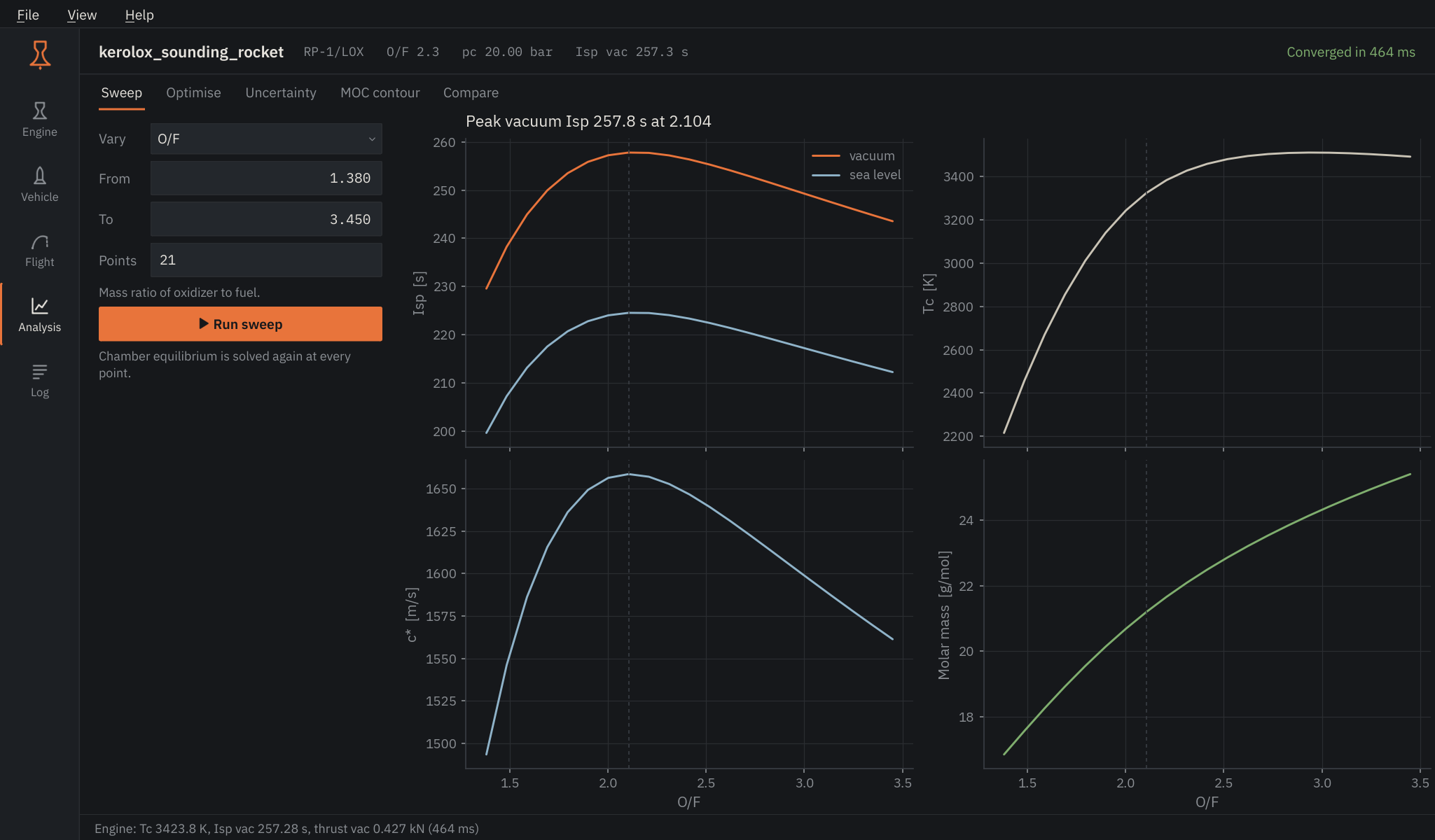
Vary O/F, chamber pressure or area ratio over a range; everything else comes from the Engine page. The chamber equilibrium is solved again at every point, so an O/F sweep shows the real shift of temperature and molar mass. The dashed line marks the point of highest vacuum Isp.
Optimise#
Four problems behind one selector:
- Nozzle area ratio for a weighted mix of vacuum and lower-altitude thrust coefficient, using the engine's chamber pressure and gamma.
- Engine design point: the chamber pressure and O/F that reach a target Isp, and the throat area that then gives the target thrust.
- Stage propellant split that maximises ideal delta-v for a fixed total propellant mass.
- Gravity-turn ascent: kick-off altitude, kick angle and pitch rate that bring a point-mass vehicle to a target altitude under a dynamic-pressure limit.
The table lists the optimum; the plot shows how the objective converged.
Uncertainty#
Samples chamber pressure, throat area and gamma around the last engine run and propagates them through the nozzle relations. Thrust and Isp histograms, means and standard deviations follow; with a minimum thrust set, the share of samples above it is reported as reliability.
MOC contour#
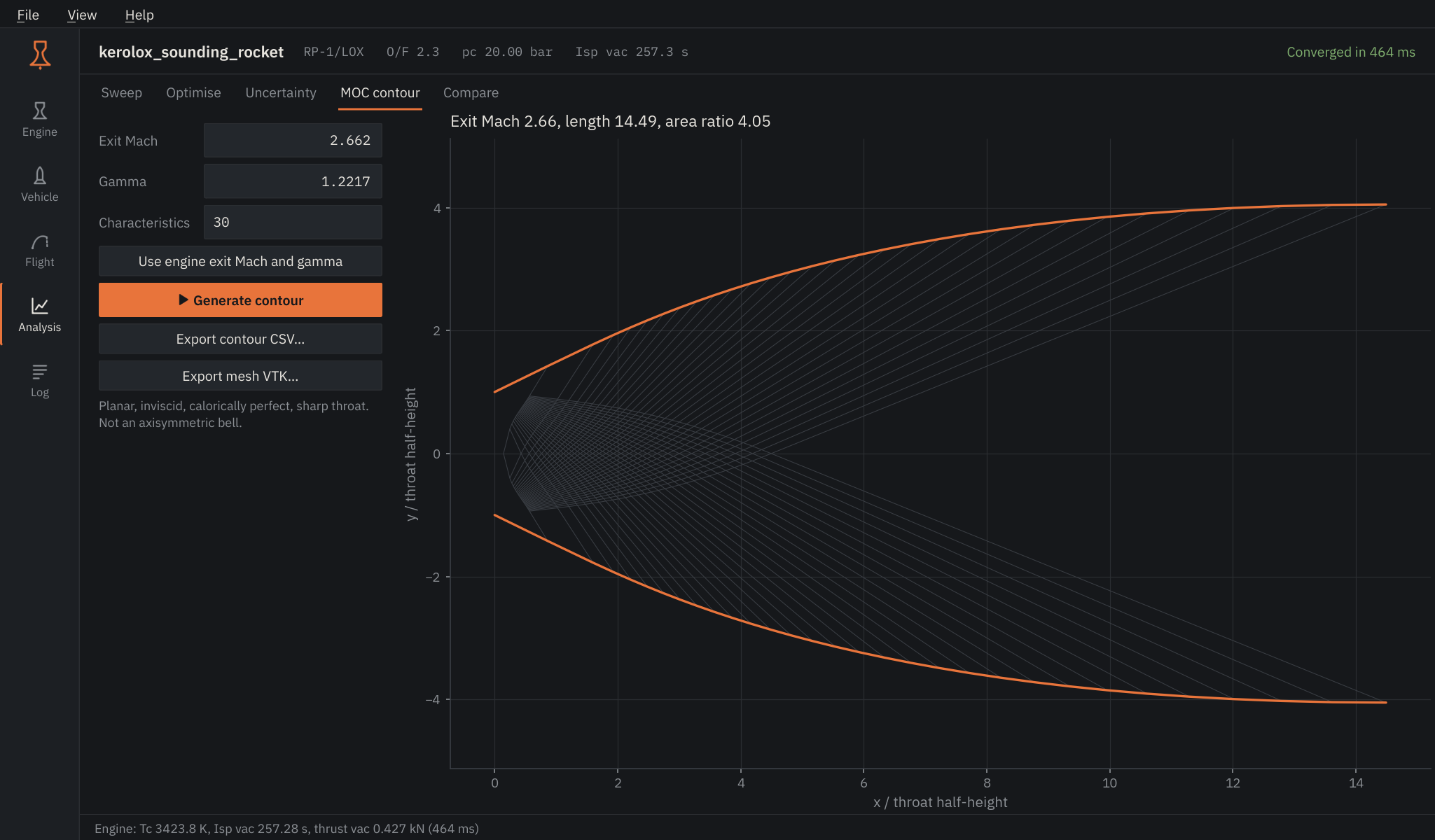
A minimum-length nozzle by the method of characteristics, for a given exit Mach number and gamma (Use engine exit Mach and gamma fills them from the last run). The contour is planar and two-dimensional: a design aid for studying the expansion fan, not the axisymmetric bell the Engine page uses. Export the wall as CSV or the characteristic net as VTK.
Compare#
Pin current result stores the last engine result under a label. With two or more pinned, the table and the bar chart put them side by side.